
Archive for November, 2012
Unity: assigning a texture to the cursor
Posted by Dimitri | Filed under Programming

Unity 4.0 has been released last week and there are tons of new useful features to explore. One of those new fresh features is the option to set a Texture2D as a cursor. Although the code featured at the official documentation is extremely simple and explains how to achieve that with the OnMouseEnter() and the OnMouseExit() method, it will only work when the cursor is colliding with the 3D object in screen space. However, what if the game requires a default customized cursor that lasts throughout the whole level (or game)?
Continue reading: “Unity: assigning a texture to the cursor”
Unity: changing Editor settings from outside Unity
Posted by Dimitri | Filed under Programming
This post is aimed specifically at those who have opened Unity only to find out that it is crashing because of some recently added problematic script on the project. The text below shows how to circumvent this problem by enabling the ‘Always Show Project Wizard‘ option without the need to launch Unity. This tutorial will focus on how to do it on a Windows machine, with Unity version 3.5.6f4 installed. Mac Unity developers should take a look at this thread on Unity Answers.
The most well known method to make Unity load straight into the Project Wizard is to hold the left ALT while double clicking on the Unity icon. As described, it will take Unity straight into the Project Wizard. That way, you can choose another project and them enable the ‘Always Show Project Wizard at Startup‘ option by selecting Edit->Preferences.
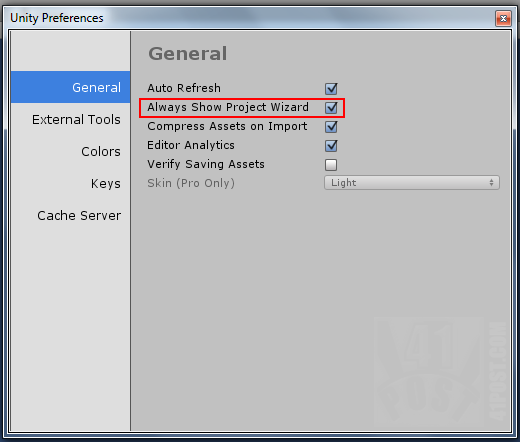
Enable this option and Unity will open the Project Wizard every time it’s started.
Continue reading: “Unity: changing Editor settings from outside Unity”